
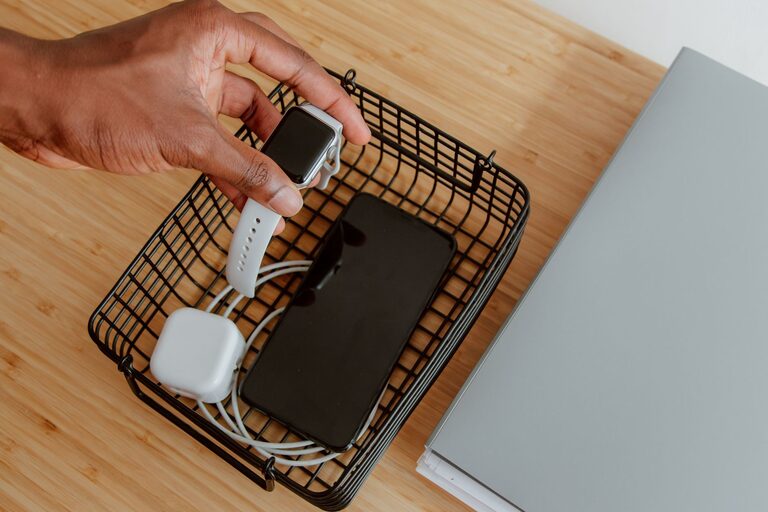
Setting up a dedicated charging station for your devices is a great way to stay organized and ensure everything stays powered throughout the day. Whether you have smartphones, tablets, laptops, or other electronic gadgets, a well-planned charging station can simplify your daily routine and reduce clutter. In this guide, you’ll find easy steps and tips to create an efficient and safe charging area in your home.
Why Set Up a Charging Station?
With multiple devices often requiring power, charging cables can quickly become tangled messes scattered around your home. A charging station brings all your devices together in one spot, making it easier to:
– Keep devices charged and ready to use
– Reduce clutter and tangled cords
– Protect gadgets from accidental damage
– Save time searching for chargers or outlets
Choosing the Right Location
Finding the perfect spot for your charging station is key to its success. Consider these factors when selecting a location:
Accessibility
Choose a location that everyone in the household can easily reach. Common spots include:
– Kitchen counters
– Living room side tables
– Home office desks
– Entryway consoles
Power Source Availability
Your charging station needs to be near an electrical outlet or power strip. Make sure the outlet can support multiple devices without overloading.
Safety
Avoid placing your charging station near water sources such as sinks or bathtubs. Ensure there’s enough ventilation to prevent overheating.
What You’ll Need
Here’s a checklist of items to gather before setting up your charging station:
– Power strip or multi-port USB charger
– Cable organizers (clips, sleeves, or boxes)
– Device stands or holders
– A small tray or container for accessories
– Labels or tags (optional, for cable identification)
– Surge protector (recommended for safety)
Step-by-Step Setup Guide
1. Clear and Clean Your Space
Start with a clean surface. Remove any unnecessary items from the area to make room for your charging station.
2. Arrange the Power Source
Plug your power strip or multi-port charger into the outlet. If possible, use a surge protector to safeguard your devices from power spikes.
3. Organize Charging Cables
Use cable organizers to prevent tangling. Here are some popular options:
– Cable clips: Attach these to the edge of your table to keep cables in place.
– Cable sleeves: Bundle multiple cords together neatly.
– Charging boxes: Hide excess cable length and power strips inside.
4. Position Device Holders or Stands
Place device stands or holders on the surface to keep phones, tablets, or e-readers upright while charging. This keeps screens visible and reduces the chance they’ll be accidentally knocked over.
5. Connect Your Devices
Plug your devices into the charger using the appropriate cables. If you have multiple device types (e.g., USB-C, Lightning), ensure the charger supports all necessary ports.
6. Store Accessories
Use a small container or tray to keep spare cables, adapters, earbuds, or other accessories neatly stored.
7. Label Cables if Needed
If you’re managing many devices, adding labels to cables can help identify which charger belongs to which device. This is especially useful in shared spaces.
Tips for Maintaining Your Charging Station
– Regularly clean the area to prevent dust buildup.
– Check cables for frays or damage and replace when necessary.
– Avoid overloading the power strip by keeping track of total wattage.
– Unplug devices once fully charged to save energy and extend battery life.
– Update your charging equipment when new devices require different connectors.
Bonus: Portable Charging Stations
If you travel frequently, consider assembling a portable charging station in a small bag. Include a compact multi-port charger, essential cables, and a cable organizer. This makes charging on the go much more convenient.
Conclusion
Setting up a charging station is a simple project that can greatly improve the organization and efficiency of charging your devices at home. With a thoughtful location, the right tools, and a little time, you’ll create a tidy, safe, and convenient hub for all your electronics. Enjoy the peace of mind that comes with knowing your devices are always ready to use!